
Query is too complex
The trade site rejects a search that has too many filters. The price check window then shows this error:
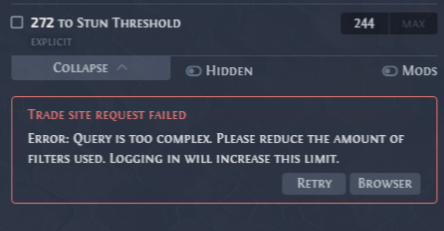
The message comes from the trade site: Query is too complex. Please reduce the amount of filters used. Logging in will increase this limit.
Fix it
Use one of these three ways:
- Sign in to the trade site. A signed-in account has a higher limit. Click Browser in the error box. It opens the same search on the trade site in the built-in browser. Sign in there, as Private leagues shows, then click Retry. Later searches use that sign-in too.
- Use fewer filters. Untick some filters, for example a total Elemental Resistance filter, and click Search again.
- Open the search in your default browser. After you change a filter, the window shows Search and Trade again. Trade opens the search on the trade site in your default browser. If you are signed in to the trade site in that browser, the higher limit applies there.
With Enable builtin browser on (Settings, Price check page), Trade opens the built-in browser instead, and the arrow button to its right opens your default browser:
