Stash search
The Stash search widget is a list of saved searches. Clicking a search types its text into the search box of the open stash or vendor window in the game, and the game highlights the items that match. A search can be plain text or a regex, a pattern that matches many texts at once. poe2.re, a site not connected to Kalandra, builds regexes for Path of Exile 2 items. The regex guide on the Path of Exile 1 wiki explains the syntax.
Open a widget
Kalandra includes two Stash search widgets, Map rolling and Dump sorting. Open the overlay (Shift + Space by default) and click one of them in the main button bar to show it. Widgets explains the overlay and the hide, edit, move and delete buttons.
Five searches of Dump sorting follow the Language setting in Settings, General: Kalandra takes their text from the game data of that language. They are Currency, "Martial Weapon", "Waystone Tier", "Rarity: Normal" and "Number of Trials:" in English, and Währung, Kampfwaffe, Wegsteinlevel, "Seltenheit: Normal" and "Anzahl der Prüfungen:" in German. The game data has no text for Jewel and the four searches of Map rolling, so they are English text, written for a game client in English. With the game in another language, edit them to the words that its item text shows, as Change the searches explains.
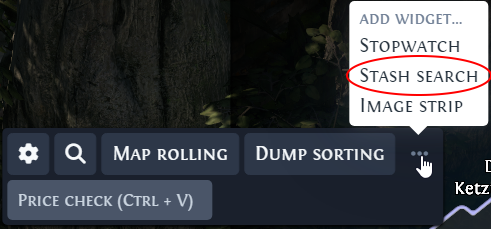
To add another Stash search widget, hover over the three dots in the main button bar and click Stash search. A new widget has no title, shows Untitled, and starts with one search: the name of the Currency rarity in the language of the Language setting, such as Currency in English or Währung in German, and it follows that setting too. You can add as many as you want.
How a search runs
When you click a search, Kalandra switches to the game, presses Ctrl + F to select the search box, pastes the text with Ctrl + V (Cmd + V on macOS) and presses Enter.
Kalandra presses these keys only when the game window has the focus after the switch. When it does not, such as after a click in Kalandra's page in a web browser, Kalandra skips the search and writes Skipped a stash search because the game window does not have the focus to its log, on the Debug settings page.
The text goes through the clipboard, so after a search the clipboard holds the search text, also with Restore clipboard on in Settings, General. Kalandra cannot see when the game pastes. A game that stalls, for example while it loads an area, would paste text put back before then into the search box in place of the search. Kalandra skips a search that comes less than 120 ms after the previous search or chat command.
Map rolling
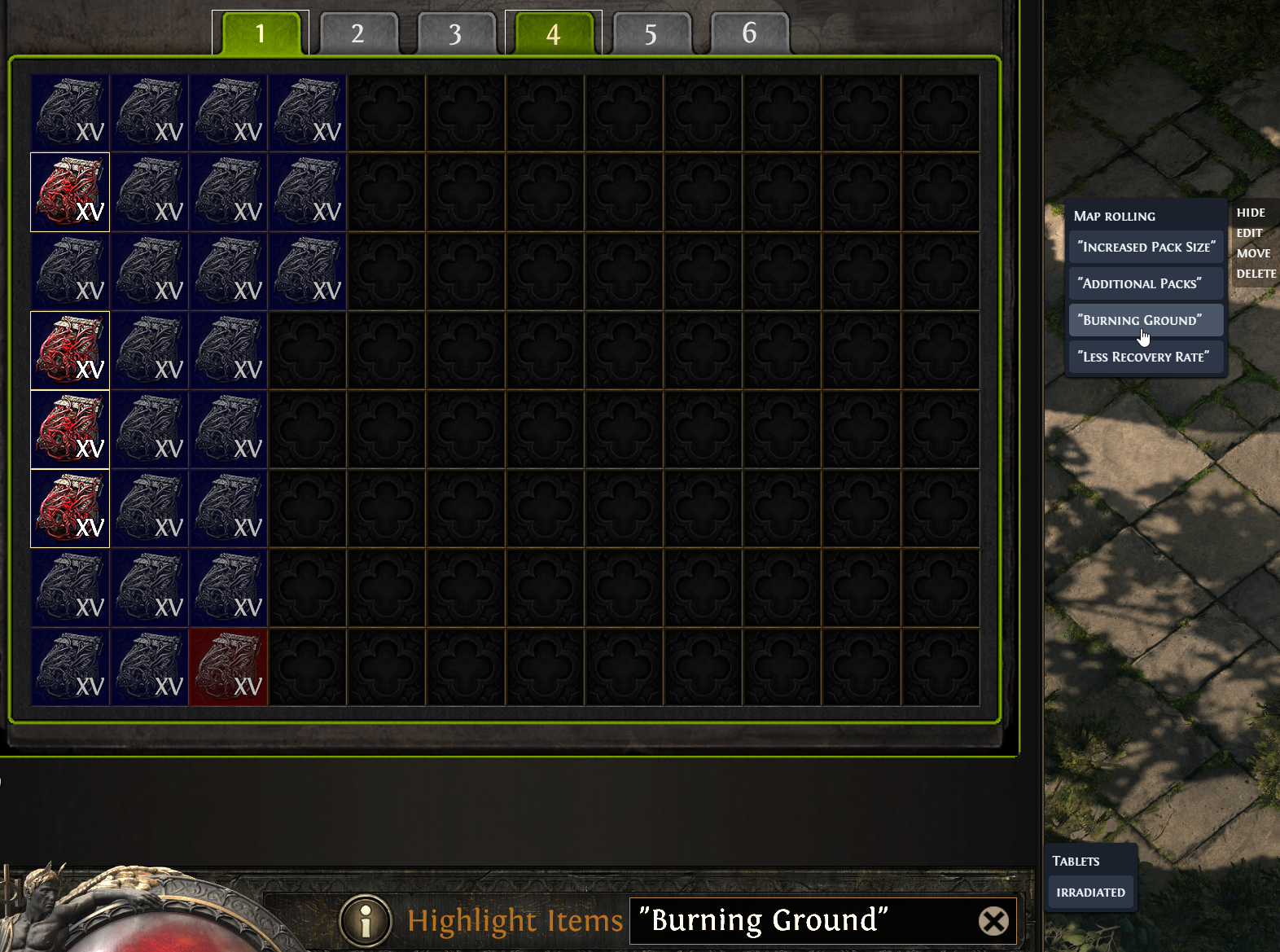
In Path of Exile 2, maps are items called Waystones. The Map rolling widget searches for four Waystone modifiers: "Increased Pack Size", "Additional Packs", "Burning Ground" and "Less Recovery Rate". The quotes make the game match the words as one phrase.
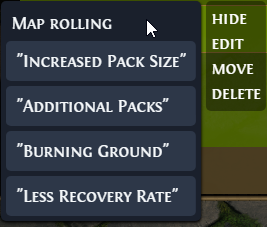
For example, clicking "Burning Ground" types "Burning Ground" into the search box, and the game highlights every Waystone that has that modifier.
Dump sorting
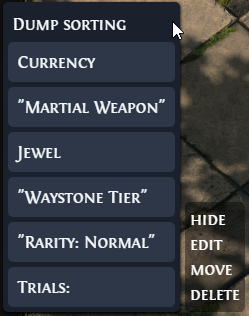
A dump tab is a stash tab where you put all your loot to sort later. The Dump sorting widget has six searches: Currency, "Martial Weapon", Jewel, "Waystone Tier", "Rarity: Normal" and "Number of Trials:". A Trials: search that an earlier version saved now searches "Number of Trials:" too.
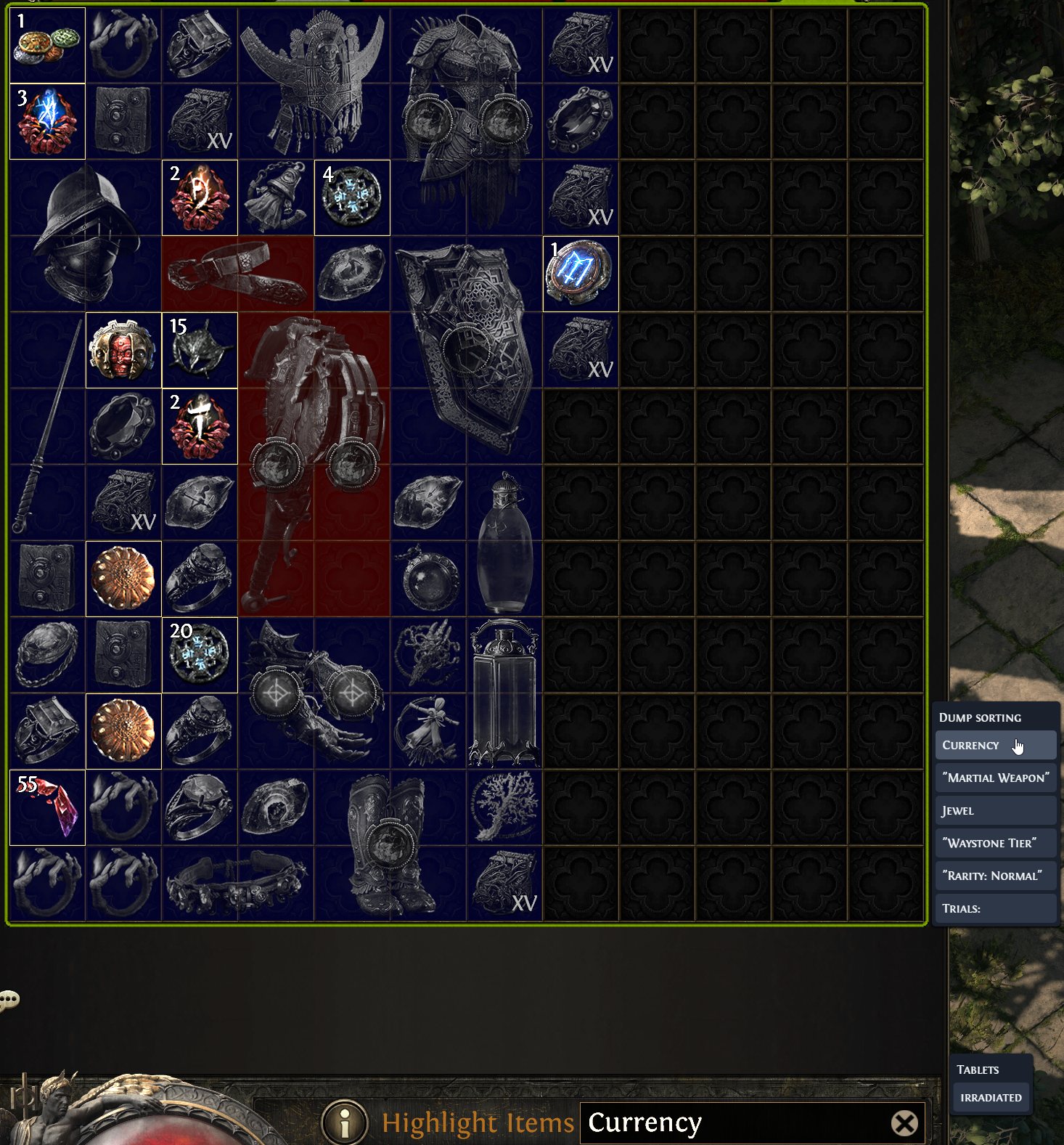
The screenshot below shows a search for Currency, which highlights every item whose text contains that word.
Change the searches
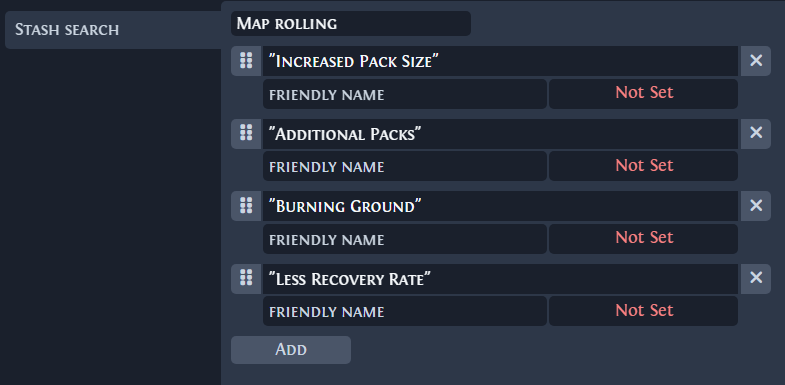
Hover over the widget and click edit to open its page in the Settings window. There you can:
- Type the widget title in the top field, which shows
widget titlewhen it is empty. - Drag the handle on the left of a search to change the order.
- Edit the search in the
search text or regexfield. The field turns red when the text is longer than 250 characters. A search that follows the Language setting keeps your text in every language once you edit it. - Remove a search with the cross on its right.
- Give a search a
friendly nameand a hotkey, as the next section explains. - Click
Addto add an empty search.
Click Save to apply the changes.
Friendly names and hotkeys
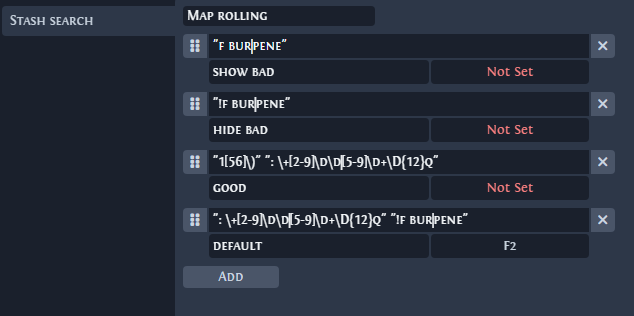
A regex is hard to read, so a search can have a friendly name. The widget button shows the friendly name in place of the search text.
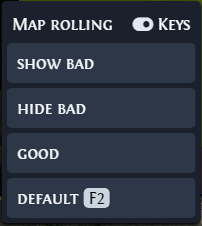
A search with a hotkey runs when you press that hotkey in the game, without opening the overlay. Kalandra presses the same keys as for a click. The presets have no hotkeys. When at least one search has a hotkey, the widget shows a Keys switch next to its title. The switch turns all hotkeys of that widget on or off, and while it is on, the widget shows each hotkey next to its search. Hotkeys follow the rules in Settings.
The screenshots below show a custom Map rolling widget with four regex searches. Each has a friendly name, and the search named Default has the hotkey F2.