
Failed to load leagues
Kalandra loads the list of trade leagues from the trade site that matches the Language and Preferred trade site settings on the General settings page, for example https://www.pathofexile.com/api/trade2/data/leagues for English. When the trade site does not send the list, the price check window shows this error:
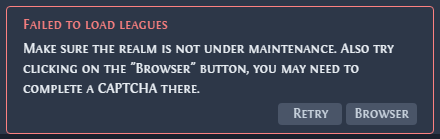
The Price check settings page shows the same error with the text "Price check an Item, and follow the instructions in the error description there." and only a Retry button.
Check the trade site
The error appears when the realm is under maintenance, when the trade site is down, or when the trade site's bot check blocks Kalandra's request. A bot check is a page that the trade site shows to tell people from automated programs. Open the trade site in your normal browser. If it does not load, wait until it is back, then click Retry.
Pass the bot check
- Price check any item. The price check window shows the error with a Browser button.
- Click Browser. The built-in browser opens the league list address on the trade site. If the page shows a CAPTCHA, complete it. Some checks need no input and finish on their own after a few seconds.
- When the page shows the list of leagues as plain text, click Retry. The passed check also applies to Kalandra's own requests to the trade site.
Press the overlay key (Shift + Space by default) to switch between the built-in browser and the game.
The check can return after some time: repeat these steps. If it appears every time, contact Path of Exile support.
The built-in browser shows nothing
If the built-in browser stays empty, Kalandra cannot reach the trade site. Check that the trade site opens in your normal browser and that no firewall blocks Kalandra. VPN clients and DNS servers can also block the trade site. One player fixed this error by changing from the DNS server of their internet provider to another DNS provider.
Invalid JSON describes the error a search shows for the same causes.