
No stats to select
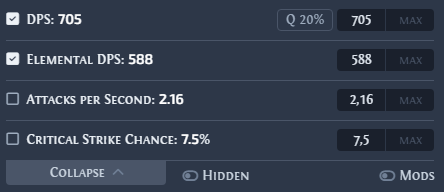
If the price check window shows no stats, or only the basic properties of a weapon or armour such as its damage per second, the game copied the item text without its modifier details.
Kalandra reads implicit and explicit modifiers only from the game's advanced item text, where each modifier has its own line in braces, such as { Suffix Modifier "of the Sniper" (Tier: 1) }. The game writes these lines only when the copy keys include the advanced item descriptions key that the game has bound, as No item text found explains.
Causes
Read the logs first, as Where can I find the logs? describes. Each cause below but the last names the log line that shows it.
- The advanced item descriptions key is a key Kalandra cannot press, such as a mouse button. The log shows
error [GameConfig] Failed to read key: <value>.Bind the key to a keyboard key in the game's options, then restart Kalandra. - The key is bound together with a modifier Kalandra cannot read. The log shows
error [GameConfig] Failed to read modifier key: <value>.Bind a keyboard key alone, or withShift,CtrlorAlt, then restart Kalandra. - The key is not
Alt, and Kalandra cannot read the game's config file, so it pressesAlt. The log showserror [GameConfig] Failed to find game configuration file in the default location.,error [GameConfig] Found more than one game configuration file, enter one in settings: <paths>orerror [GameConfig] Failed to read game configuration file: <reason>.warn [GameConfig] Cannot read a default game configuration file: <reason>names a default file that Kalandra cannot read. Set the path ofpoe2_production_Config.iniin PoE config file on the General settings page. On Windows, Kalandra looks for the file inDocuments\My Games\Path of Exile 2. Each click on Save reads the file again until a read succeeds, for example after the game has created the file at its first start. - Another program uses the same keys, so the game does not receive them. No log line shows this. Look for the copy keys in the shortcut settings of the programs you run. Another program takes the copy keys describes how to find the program.
To check a fix, copy an item yourself as No item text found describes. The pasted text must contain the modifier lines in braces.